


InfoPhone logo
HomeAbout usFAQ
Login/ Signup
Get it on Google PlayDownload on the App Store
InfoPhone logo

Connect. Call. Communicate.Anywhere, Anytime.

Quick Links

  • Home
  • About us
  • Help Centre
  • FAQ's

Features

  • Group Chats
  • Send Reactions
  • Personalised Profiles
  • Share Seamlessly

Also available on

  • Get it on Google Play
  • Download on the App Store

© Enso Webworks Private Limited 2026. All Rights Reserved.

  • About Us
  • Privacy Policy
  • Terms & Conditions
  • Legal & User Agreement
  • Community Guidelines
  • FAQs
Help Centre/Calls/Switching between voice and video mid-call

Switching between voice and video mid-call

You do not have to hang up to add video. Either side can offer to switch while the call is running.
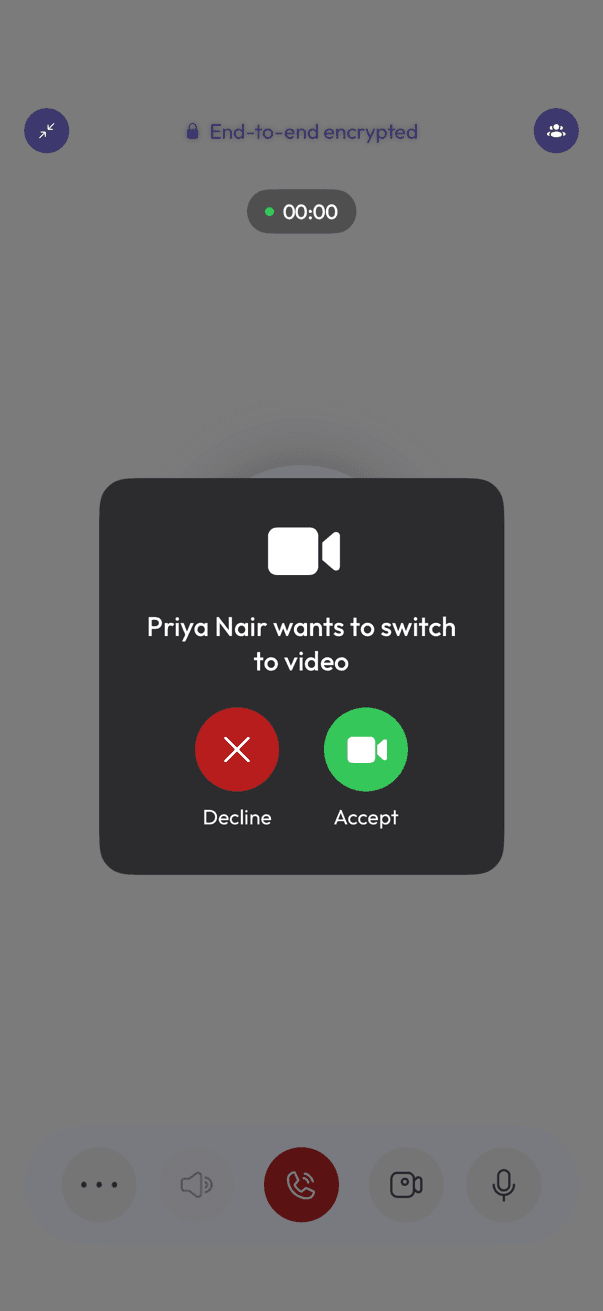
Call screen showing a prompt to switch to video with Decline and Accept
Accepting a switch to video
  1. While the call is running, tap the video icon in the call controls.
  2. The other person sees a prompt asking if they want to switch to video, with Decline and Accept.
  3. Once they tap Accept, the call becomes a video call for both of you.

Turning your camera off again during the call drops back to voice.

Related articles

  • Making a voice call
  • Making a video call
  • Starting a group call

Was this article helpful?

Was this article helpful?