InfoPhone logo
HomeAbout usFAQ
Login/ Signup
Get it on Google PlayDownload on the App Store
InfoPhone logo

Connect. Call. Communicate.Anywhere, Anytime.

Quick Links

  • Home
  • About us
  • Help Centre
  • FAQ's

Features

  • Group Chats
  • Send Reactions
  • Personalised Profiles
  • Share Seamlessly

Also available on

  • Get it on Google Play
  • Download on the App Store

© Enso Webworks Private Limited 2026. All Rights Reserved.

  • About Us
  • Privacy Policy
  • Terms & Conditions
  • Legal & User Agreement
  • Community Guidelines
  • FAQs
Help Centre/Calls/Making a voice call

Making a voice call

Voice calls go over your internet connection, so they use data rather than call minutes.
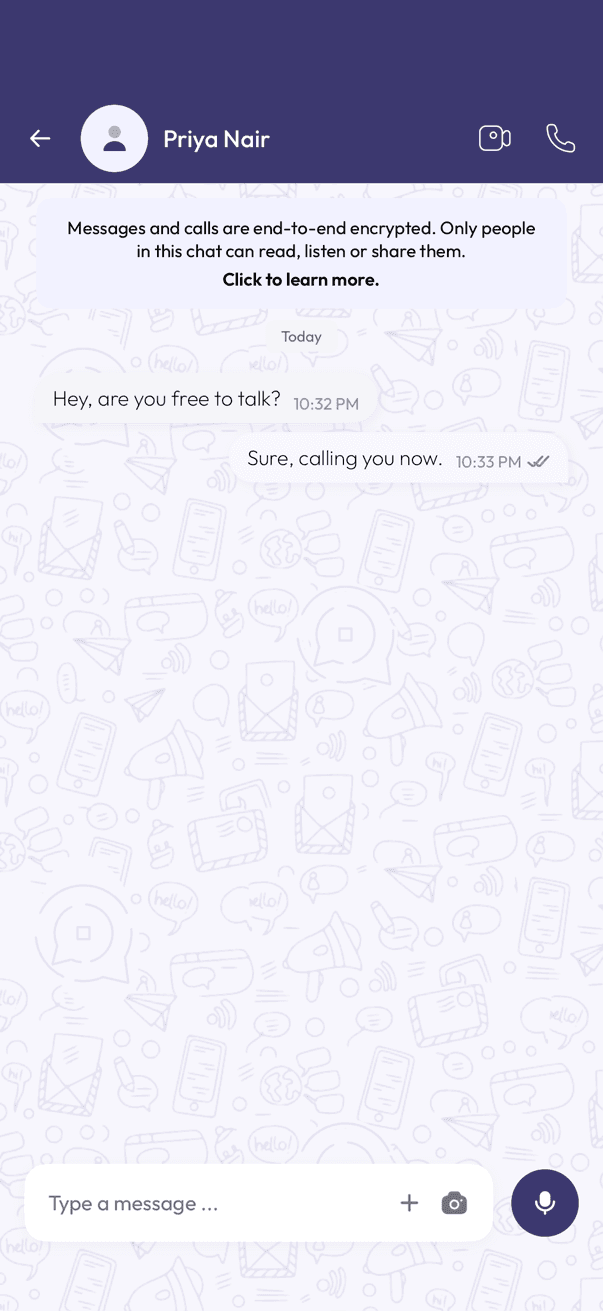
A chat open with the phone icon at the top
Tap the phone icon
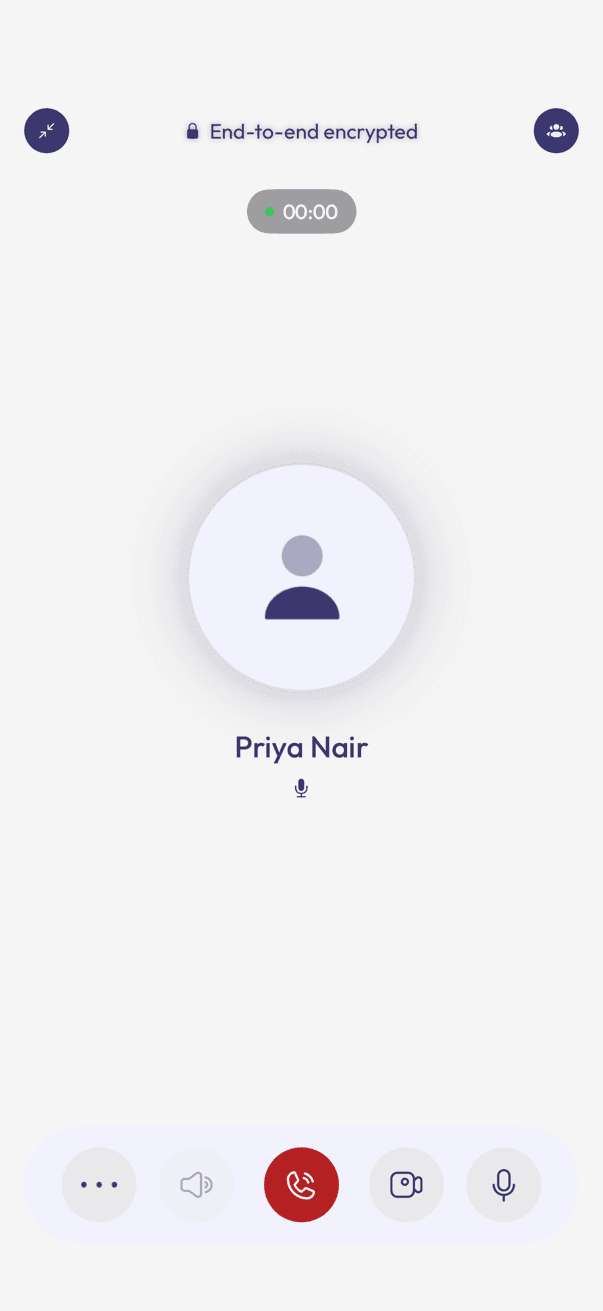
An active voice call screen showing the timer and call controls
The call screen
  1. Open the chat with the person you want to call.
  2. Tap the phone icon at the top of the chat.
  3. Wait for them to answer — the timer starts once they pick up.

During the call

  • Mute yourself with the microphone icon.
  • Switch to your earpiece or loudspeaker with the speaker icon.
  • Tap the camera icon to switch the call to video.
  • Tap the red button to end the call.

Related articles

  • Making a video call
  • Starting a group call
  • Switching between voice and video mid-call

Was this article helpful?

On this page

  • During the call

Was this article helpful?