


Starting a group call
You can call everyone in a group at once, and add more people while the call is already running.
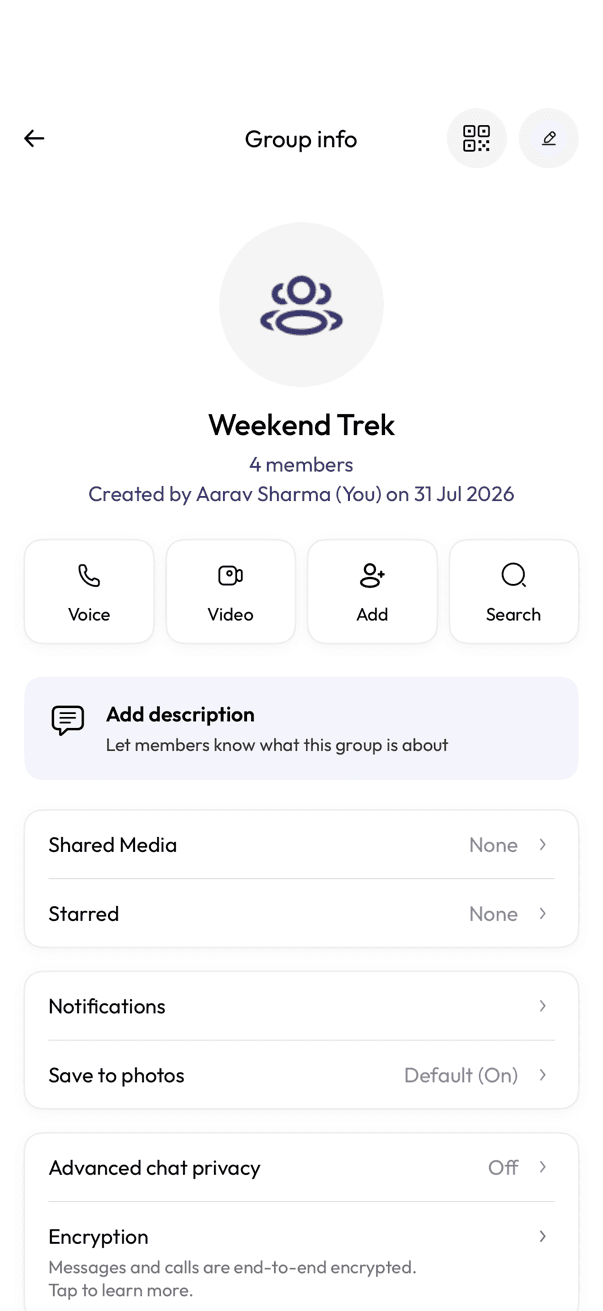

- Open the group chat and tap the group name to open Group info.
- Tap Voice or Video to start the call.
Adding someone once the call has started
- Open Participants to see who is already in the call.
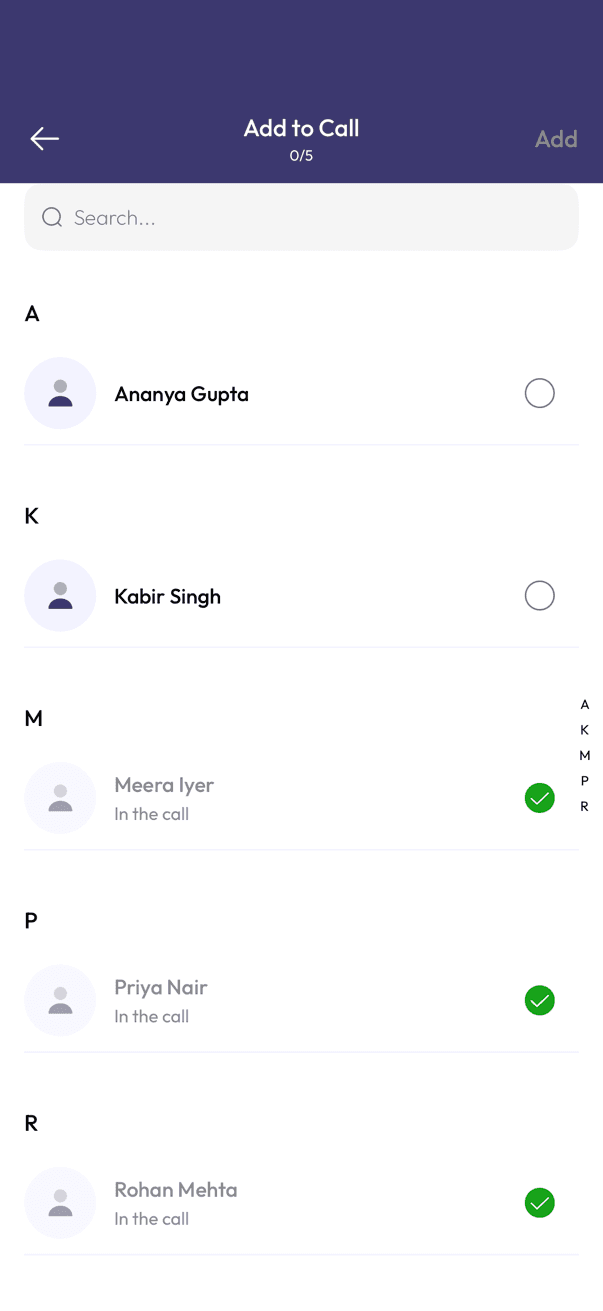
- Tap Add to Call.
- Select the contacts you want to bring in — anyone already on the call shows a green checkmark.
- Tap Add.
Related articles
Was this article helpful?