


Who can see your profile photo and about
You decide who can see your profile photo and your about text, which InfoPhone calls Status.
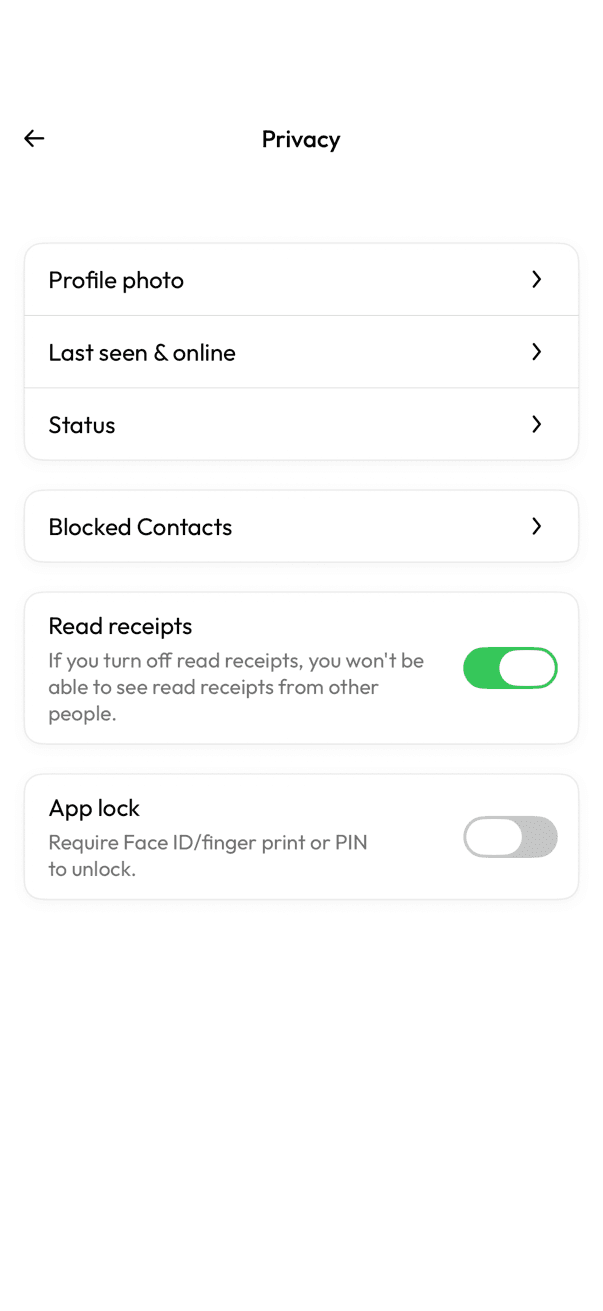
- Open Settings, then Privacy.
- Tap Profile photo or Status.
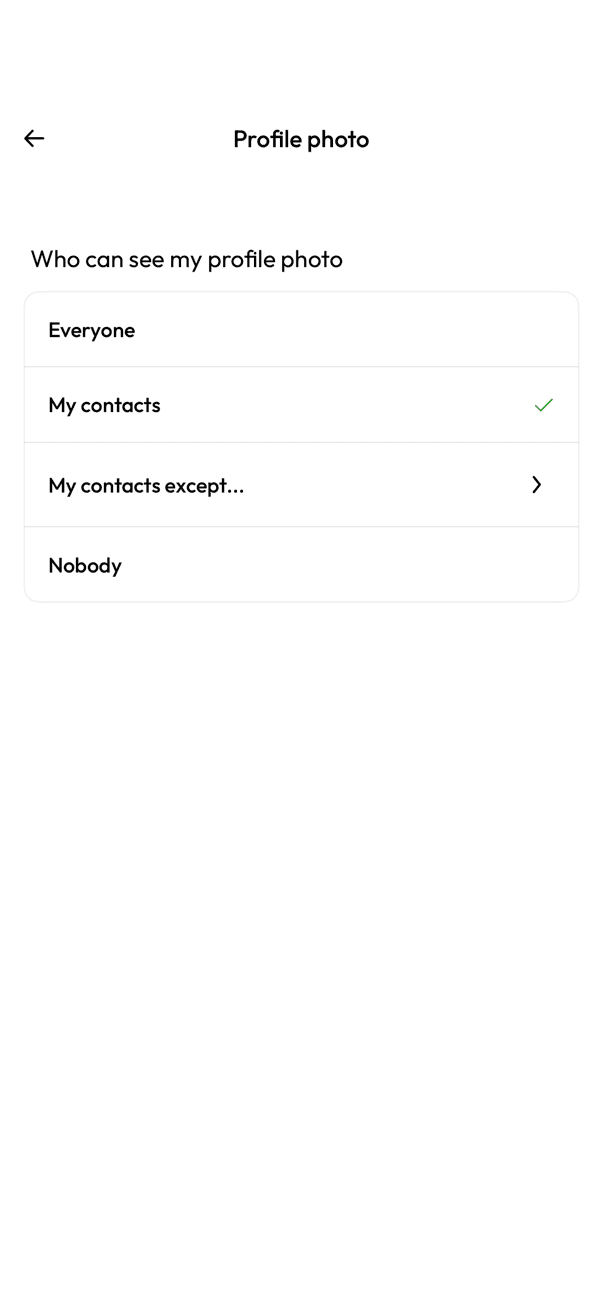
- Choose an option.
Your options
- Everyone — anyone who has your number.
- My contacts — only people saved in your address book.
- My contacts except — your contacts, minus anyone you pick.
- Nobody — no one at all.
People you have blocked never see your profile photo or status, whatever you choose here.
Related articles
Was this article helpful?