


InfoPhone logo
HomeAbout usFAQ
Login/ Signup
Get it on Google PlayDownload on the App Store
InfoPhone logo

Connect. Call. Communicate.Anywhere, Anytime.

Quick Links

  • Home
  • About us
  • Help Centre
  • FAQ's

Features

  • Group Chats
  • Send Reactions
  • Personalised Profiles
  • Share Seamlessly

Also available on

  • Get it on Google Play
  • Download on the App Store

© Enso Webworks Private Limited 2026. All Rights Reserved.

  • About Us
  • Privacy Policy
  • Terms & Conditions
  • Legal & User Agreement
  • Community Guidelines
  • FAQs
Help Centre/Privacy & Security/Blocking and reporting

Blocking and reporting

Blocking stops someone contacting you. Reporting tells us about the account, and blocks them at the same time.
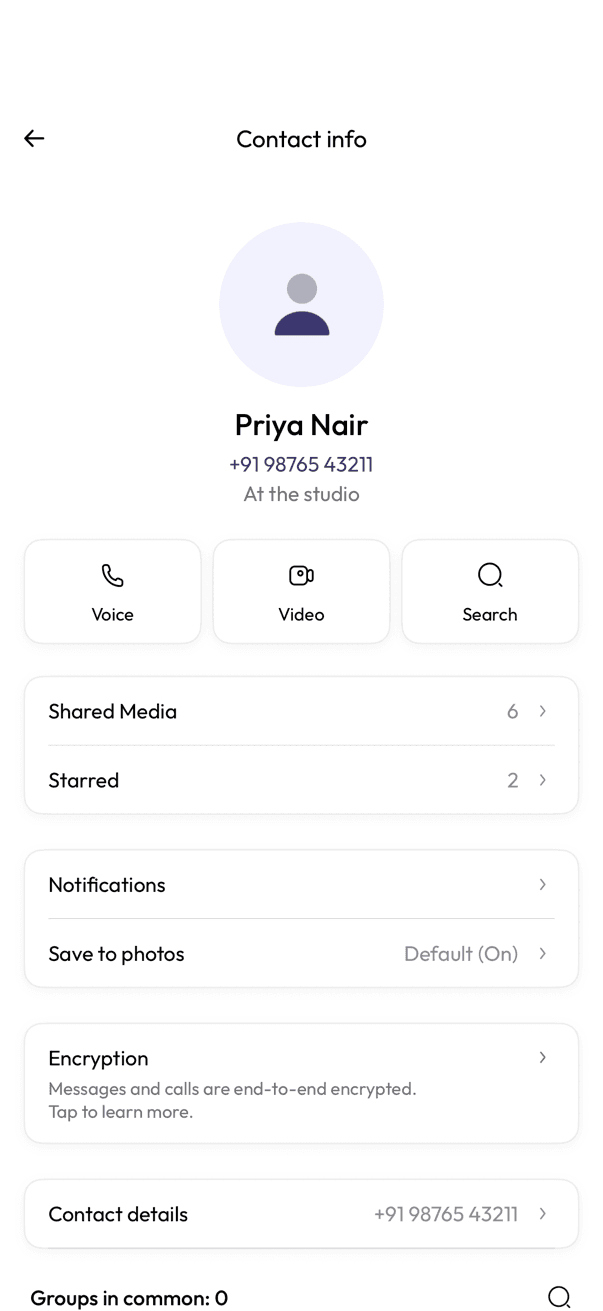
Contact info screen for a person, with call, video, and search actions
Open contact info
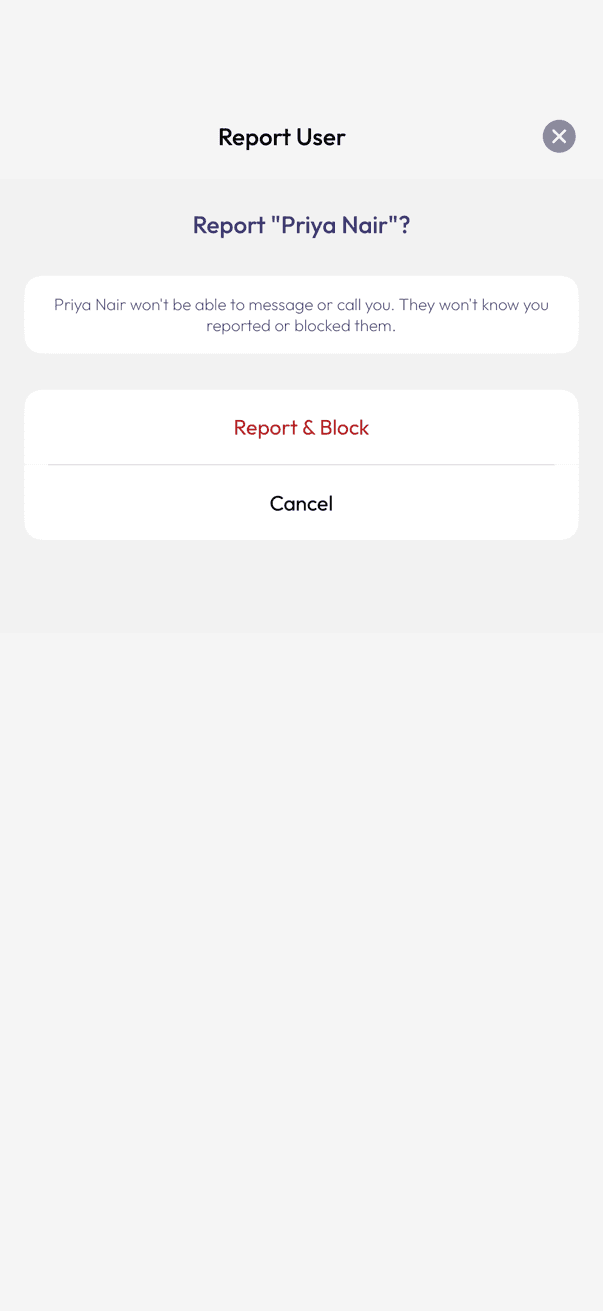
Report User confirmation with Report & Block and Cancel
Confirm the report

Block

Blocking cuts off their messages and calls and hides your profile details from them. They are not told.

  1. Open the chat and tap the person’s name at the top to open their contact info.
  2. Scroll down and tap Block, then confirm.

Report

Reporting sends us the recent messages from that chat so we can look into the account, and blocks them for you at the same time.

  1. On the same contact info screen, tap Report.
  2. Read the warning, then tap Report & Block.

Related articles

  • Who can see your profile photo and about
  • Hiding your last seen and online status

Was this article helpful?

On this page

  • Block
  • Report

Was this article helpful?