


Deleting messages for everyone
You can take a message back after sending it, within a limited window.
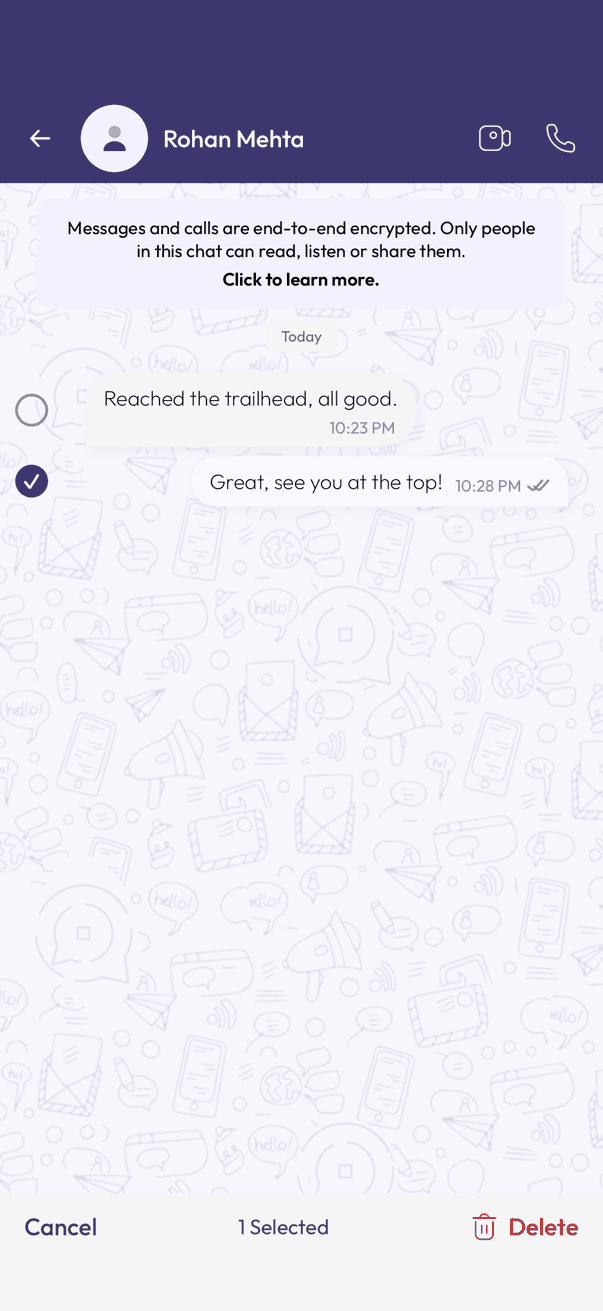
- Long-press the message you want to remove — it gets selected and a bar appears at the bottom.
- Tap Delete.
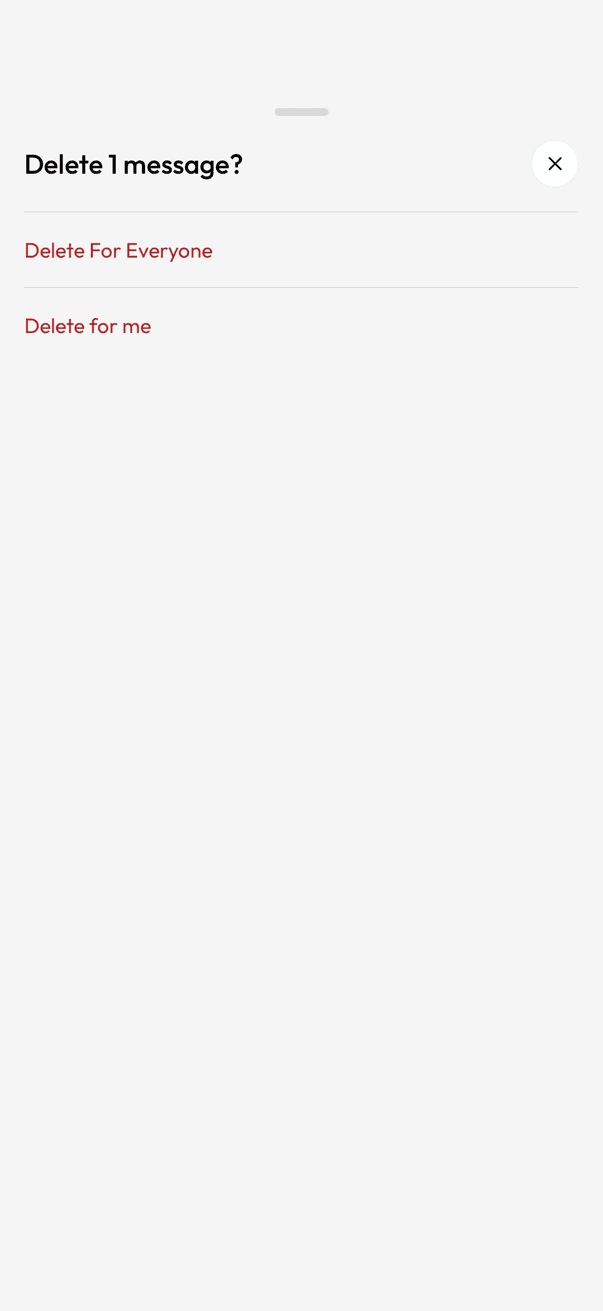
- Tap Delete For Everyone.
Worth knowing
- Everyone sees a note that a message was deleted.
- It can fail if the other person is offline for a long stretch.
- Anyone who already read it, or screenshotted it, still has it.
- Delete for me only clears it from your own phone.
Related articles
Was this article helpful?