


InfoPhone logo
HomeAbout usFAQ
Login/ Signup
Get it on Google PlayDownload on the App Store
InfoPhone logo

Connect. Call. Communicate.Anywhere, Anytime.

Quick Links

  • Home
  • About us
  • Help Centre
  • FAQ's

Features

  • Group Chats
  • Send Reactions
  • Personalised Profiles
  • Share Seamlessly

Also available on

  • Get it on Google Play
  • Download on the App Store

© Enso Webworks Private Limited 2026. All Rights Reserved.

  • About Us
  • Privacy Policy
  • Terms & Conditions
  • Legal & User Agreement
  • Community Guidelines
  • FAQs
Help Centre/Account & Profile/Signing out a linked device

Signing out a linked device

You can sign a linked device out from your phone at any time, including a device you no longer have with you.
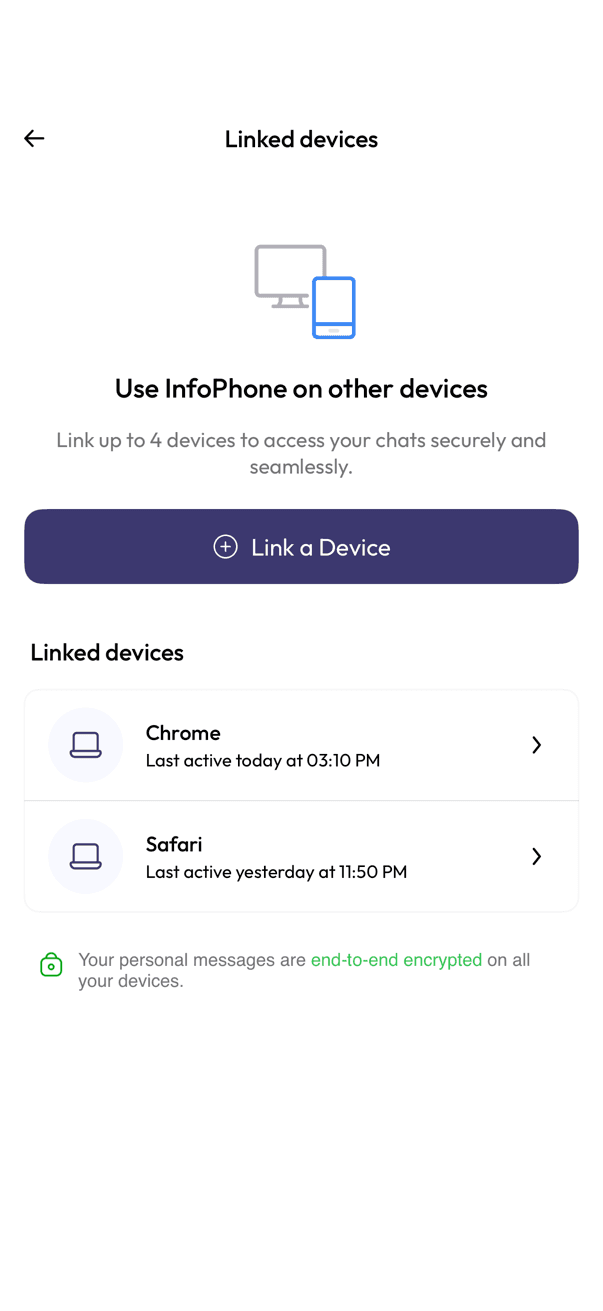
Linked devices screen listing Chrome and Safari
Pick a linked device
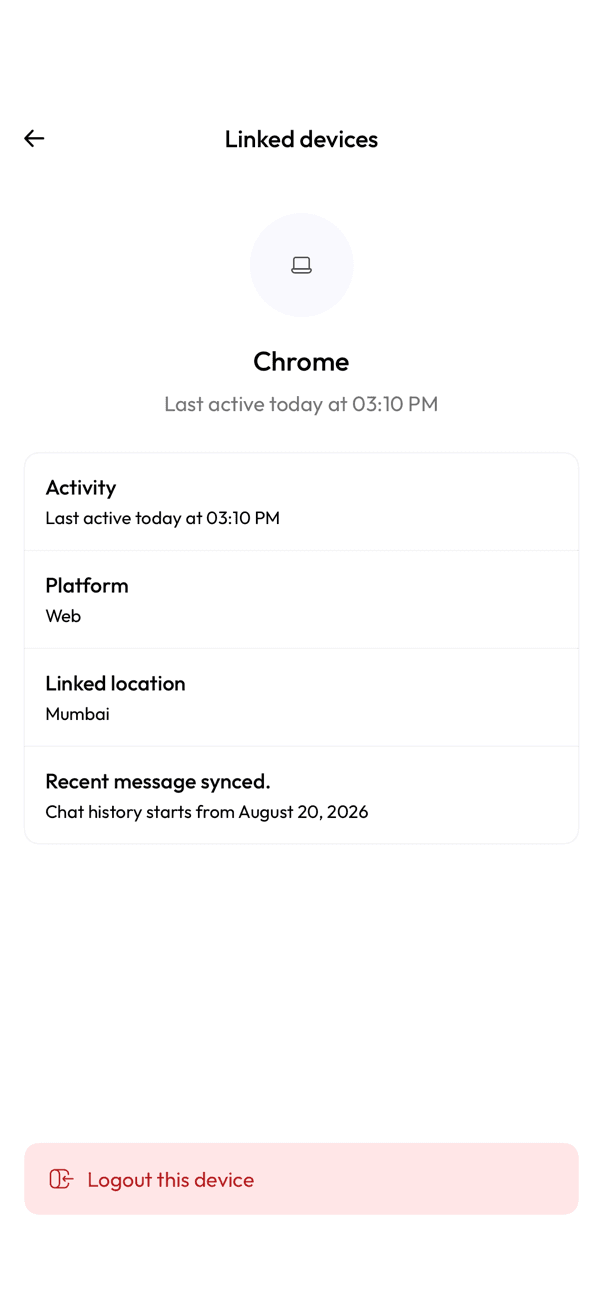
Device detail screen with a Logout this device button
Log the device out
  1. Open Settings, then Linked devices.
  2. Tap the device you want to remove.
  3. Check the activity, platform, and linked location shown to be sure you recognise it.
  4. Tap Logout this device.

The device stops receiving messages straight away and has to be linked again from scratch. If you think someone else has access to your account, sign out every device in the list.

Related articles

  • Linking InfoPhone Web to your phone
  • Why a linked device disconnects

Was this article helpful?

Was this article helpful?