


Chat settings and wallpaper
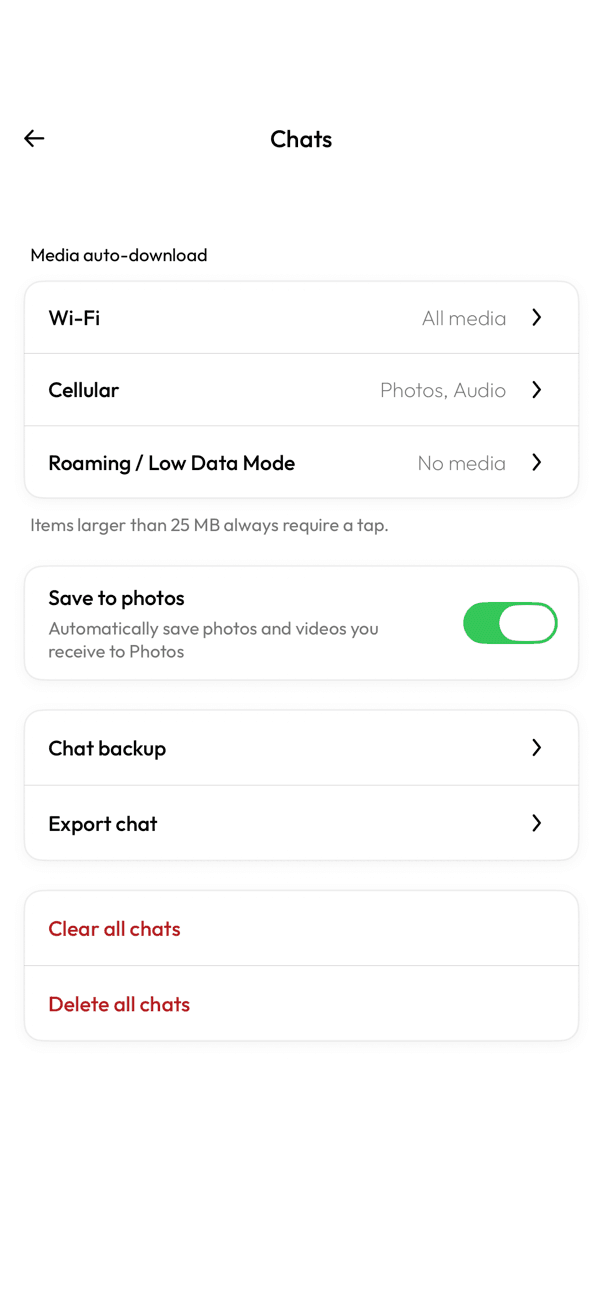
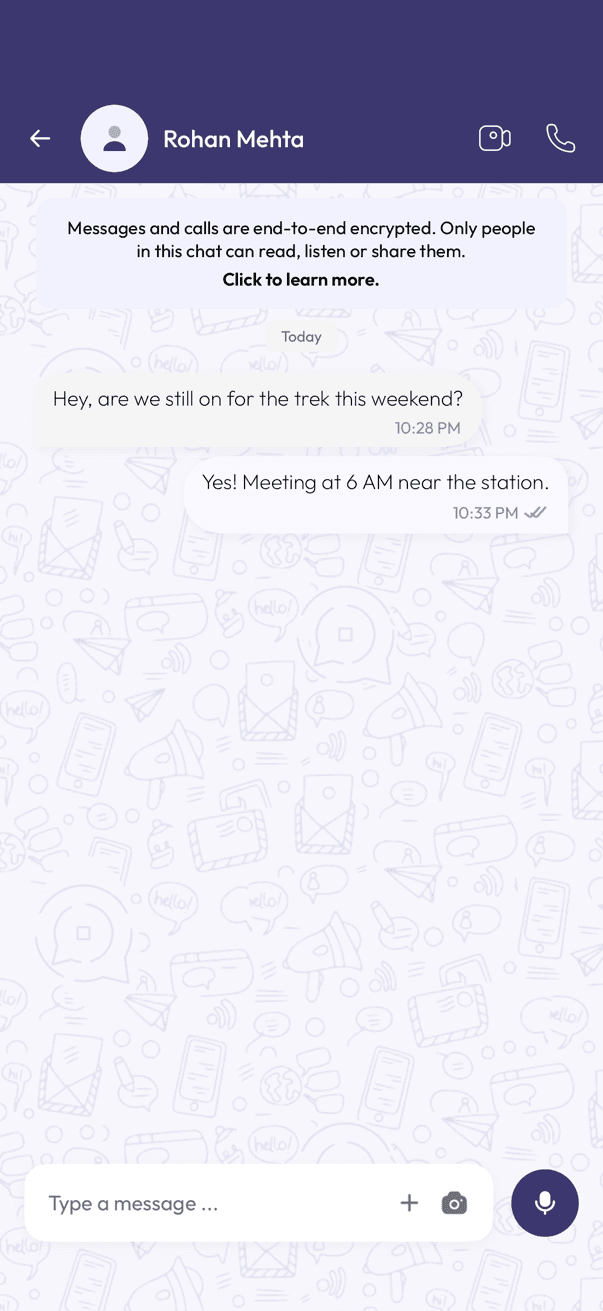
Chat settings cover your media downloads, chat backup, and clearing or deleting chats. The chat background itself is fixed — there is no wallpaper picker.
Open Chats settings
- Open Settings, then tap Chats.
Media and photos
- Set media auto-download separately for Wi-Fi, Cellular, and Roaming / Low Data Mode.
- Turn Save to photos on to have incoming photos and videos saved to your phone automatically.
- Items larger than 25 MB always need a tap to download, whatever your auto-download setting.
Backup, export, and clearing
- Chat backup and Export chat also live on this screen.
- Clear all chats empties every conversation but keeps the chats in your list.
- Delete all chats removes the conversations themselves.
About the background
The pattern behind your messages is a fixed InfoPhone doodle. There is no wallpaper picker, and no way to set a photo as your chat background.
Related articles
Was this article helpful?