


Turning notifications on or off
Notifications are controlled both inside InfoPhone and in your phone’s own settings.
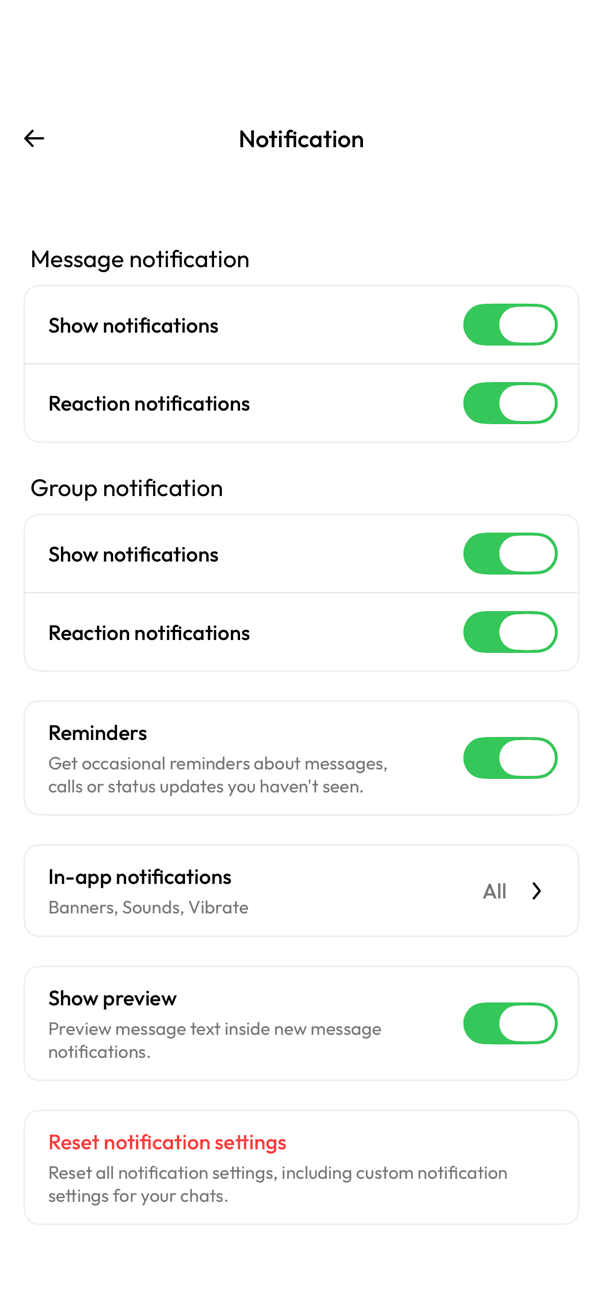
In InfoPhone
- Open Settings, then Notification.
- Turn Show notifications and Reaction notifications on or off, separately for messages and for groups.
- Turn Show preview on or off to control whether the message text appears in the notification.
Other options on this screen
- Reminders — occasional nudges about messages, calls, or status updates you have not seen.
- In-app notifications — banners, sounds, and vibration while you have InfoPhone open.
- Reset notification settings — puts everything back to default, including any custom settings for individual chats.
If you have turned everything on here and still get nothing, the block is in your phone’s system settings — InfoPhone cannot override those.
Related articles
Was this article helpful?