


Creating a group
A group is a shared chat. Everyone in it sees every message.
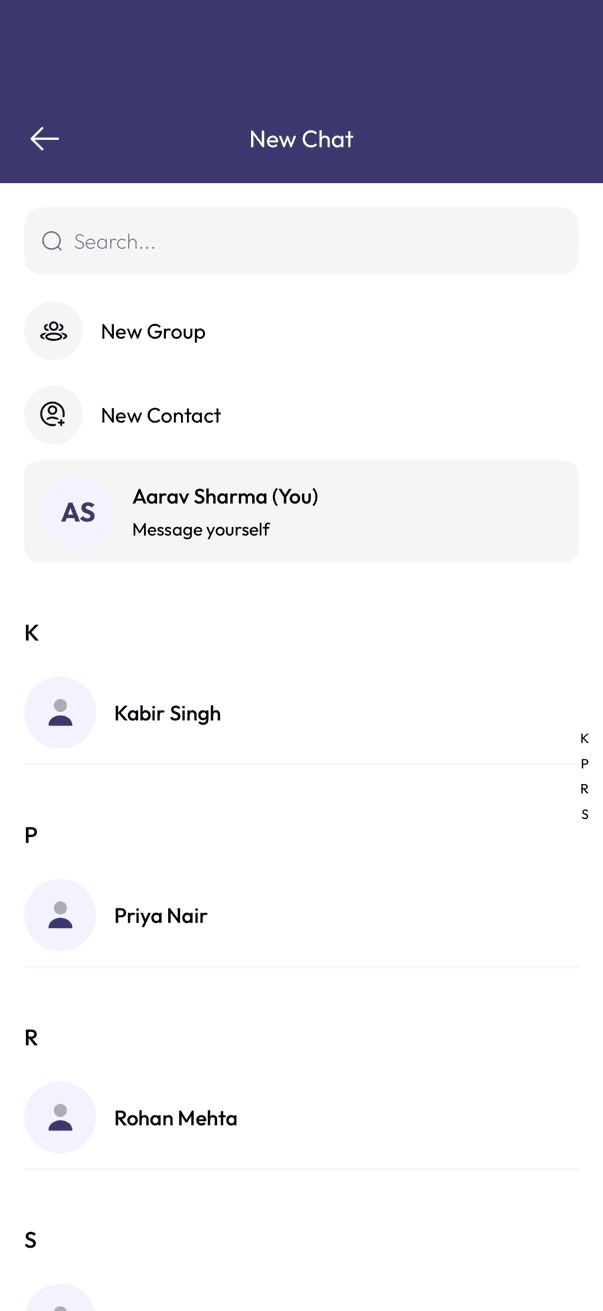
- Tap the ⋯ menu at the top of your chats list, then tap New chat.
- Tap New Group.
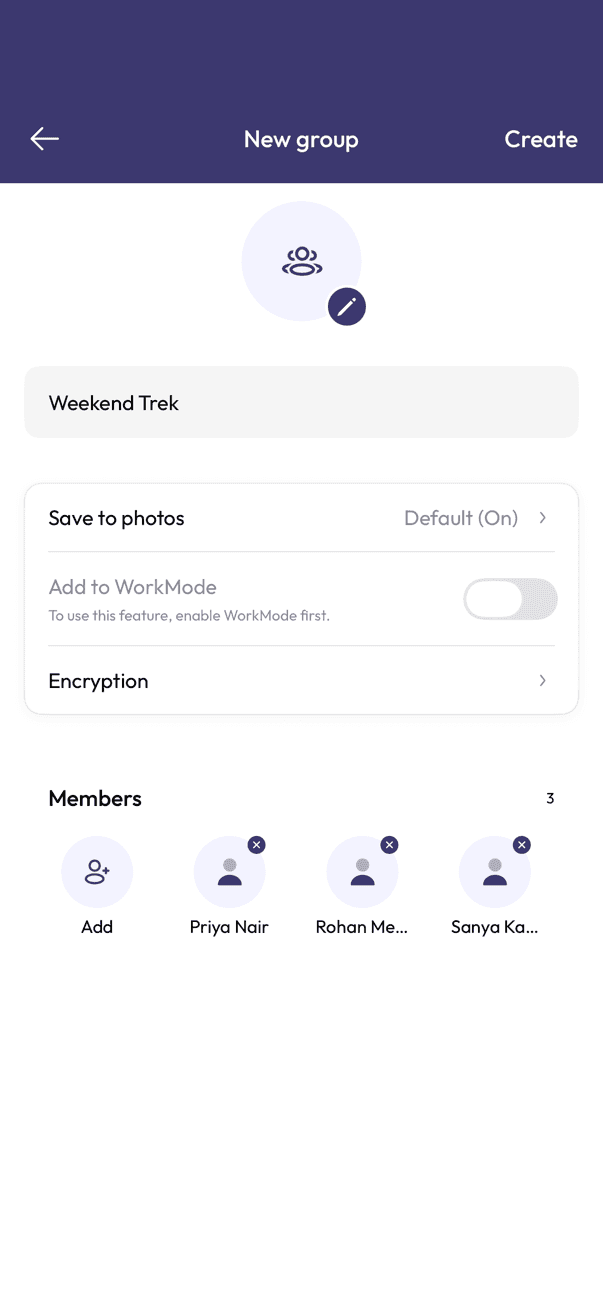
- Pick the people you want to add, then tap Next.
- Give the group a name, add a photo if you want one, and tap Create.
Whoever creates the group starts as its admin and can add more admins later.
Related articles
Was this article helpful?