


InfoPhone logo
HomeAbout usFAQ
Login/ Signup
Get it on Google PlayDownload on the App Store
InfoPhone logo

Connect. Call. Communicate.Anywhere, Anytime.

Quick Links

  • Home
  • About us
  • Help Centre
  • FAQ's

Features

  • Group Chats
  • Send Reactions
  • Personalised Profiles
  • Share Seamlessly

Also available on

  • Get it on Google Play
  • Download on the App Store

© Enso Webworks Private Limited 2026. All Rights Reserved.

  • About Us
  • Privacy Policy
  • Terms & Conditions
  • Legal & User Agreement
  • Community Guidelines
  • FAQs
Help Centre/InfoPhone features/Setting an out-of-office auto reply

Setting an out-of-office auto reply

Out of office pauses Work mode for a stretch of days and answers work chats for you while you are away.
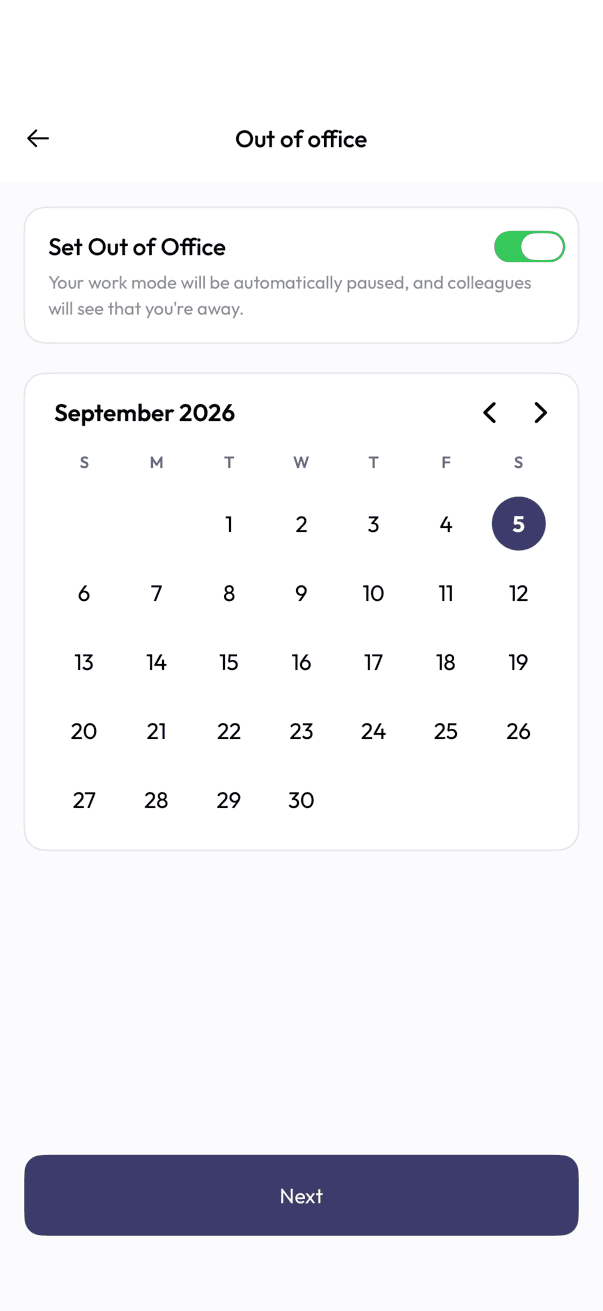
Out of office calendar for picking away dates
Pick your dates
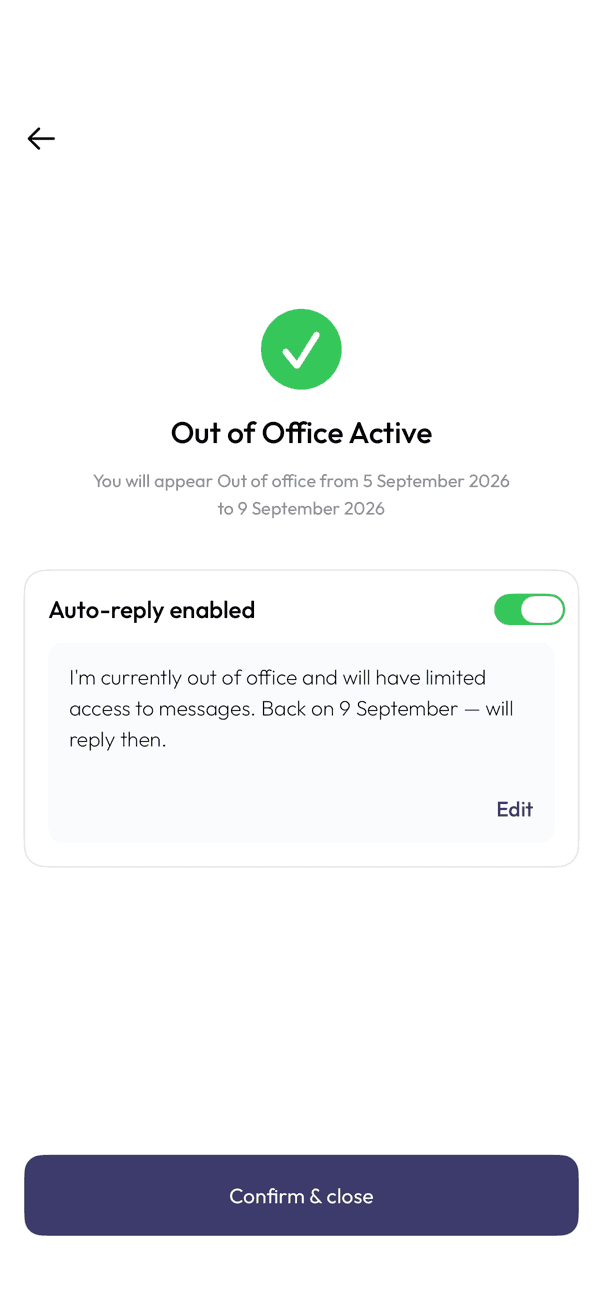
Out of Office Active screen with the auto-reply message
Confirm the auto-reply

Pick your dates

  1. Open Work mode, then Out of office.
  2. Turn on Set Out of Office.
  3. Pick your start and end dates on the calendar.
  4. Tap Next.

Turn on the auto-reply

  1. Turn on Auto-reply enabled.
  2. Tap Edit if you want to change the default message.
  3. Tap Confirm & close.

Work mode pauses automatically for those dates, and colleagues see that you are away. Each person gets the auto reply once, not after every message they send.

Related articles

  • Work mode and business hours

Was this article helpful?

On this page

  • Pick your dates
  • Turn on the auto-reply

Was this article helpful?