


InfoPhone logo
HomeAbout usFAQ
Login/ Signup
Get it on Google PlayDownload on the App Store
InfoPhone logo

Connect. Call. Communicate.Anywhere, Anytime.

Quick Links

  • Home
  • About us
  • Help Centre
  • FAQ's

Features

  • Group Chats
  • Send Reactions
  • Personalised Profiles
  • Share Seamlessly

Also available on

  • Get it on Google Play
  • Download on the App Store

© Enso Webworks Private Limited 2026. All Rights Reserved.

  • About Us
  • Privacy Policy
  • Terms & Conditions
  • Legal & User Agreement
  • Community Guidelines
  • FAQs
Help Centre/Contacts/Why a contact shows as a phone number

Why a contact shows as a phone number

A chat showing a bare number simply means that number is not saved in your phone’s address book.
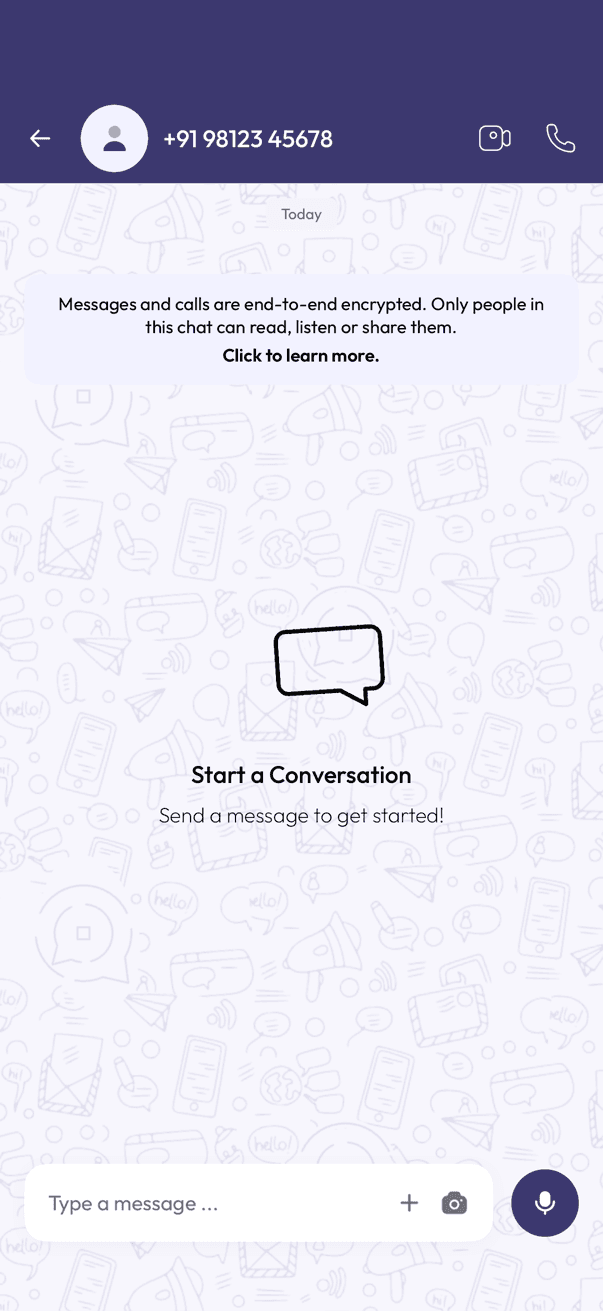
InfoPhone chat header showing a phone number instead of a name
Chat with no saved name

InfoPhone shows the name you have saved. With nothing saved, there is no name to show, so the number stands in for it.

Give them a name

  1. Open the chat.
  2. Tap the number at the top.
  3. Save them to your contacts with a name.

Was this article helpful?

On this page

  • Give them a name

Was this article helpful?